
Add a Flag List Template
Last updated on
10 December 2020
If the supplied Flag List Template for node entities isn't suiting your requirements you can add a new "Flag List Template". You can as an example create a Flag List (Flagging Collection) for only certain node entity bundles or for users. In order to do this you must have the "Administer Flag Lists" permission. Once you have that, the procedure is as follows:
- Click the "Manage" tab.
- Click the "Structure" tab.
- Click the "Flags" tab. Note NOT the "Flag Lists" tab.
- Click "Add flag".
- Select the entity type you want the Flag List (Flagging Collection) to be used for.
- Click "Continue".
- Configure your flag. Most options should work.
- In the "Flag link text" and "Unflag link text" you can use the token [flagging_collection:name] to get the name of the current Flag list.
- At the very bottom tick the box "Flag List Template". This make the flag available as a template for your Flag Lists. If you are updating an existing Flag this field will be grayed out.
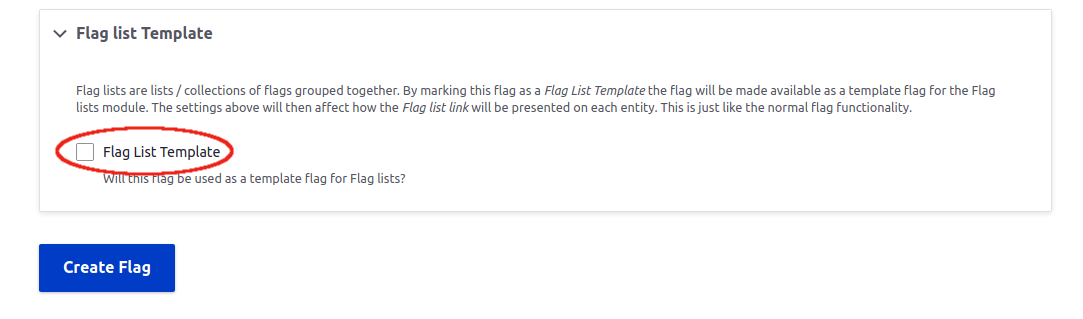
- When done click "Create flag".
Help improve this page
Page status: No known problems
You can:
You can:
- Log in, click Edit, and edit this page
- Log in, click Discuss, update the Page status value, and suggest an improvement
- Log in and create a Documentation issue with your suggestion
