
On this page
- Prerequisites
- Server Requirements
- 1. Installation
- 1.1 Quick Download & installation (RECOMMENDED)
- 1.2 Download & Installation for contributing
- 1.2.1 Install Docker Toolbox
- 1.2.2 Install Open Social Containers and site
- 1.3 Installation on Pantheon
- 2.0 Open Social compatibility and support for PHP and Drupal Core
Installing Open Social
Prerequisites
We use composer for installing and updating Open Social.
This is where you can get Composer, also for downloading it through drupal.org, you still need it for a proper installation.
Server Requirements
Pictures that are made on a mobile phone often do not have the correct orientation. To automatically set the correct orientation to images uploaded from your mobile phone you should have the php exif extension installed. This requirement is not mandatory and everything (except for autorotation) will work properly. See the PHP documentation here for more details.
As Open Social is a Drupal distribution, the usual Drupal system requirements also apply.
Since version 11.5.x Open social requires webp extension enabled.
1. Installation
- 1.1 Quick Download & installation (RECOMMENDED)
- 1.2 Download & Installation for contributing
- 1.3 Installing on Pantheon
1.1 Quick Download & installation (RECOMMENDED)
- Ensure cron is not running.
- Run this command and replace DIRECTORY with the directory of your choice this is where Open Social will be installed. The Drupal Root directory is DIRECTORY/html.
composer create-project goalgorilla/social_template:dev-master DIRECTORY --no-interaction - You can install drupal through the browser as any other drupal installation or use drush site-install to install the profile:
drush -y site-install social --db-url=mysql://root:root@db:3306/social
That's it, the site is installed! Now you can turn back cron again.
Note: Please go to admin/report/status and use the Rebuild permissions link to rebuild node access permissions
1.2 Download & Installation for contributing
We supply docker-compose files and Docker containers to quickly get you started on your local environment.
1.2.1 Install Docker Toolbox
Download and install the toolbox.
Note that the docker projects have to be somewhere in your /Users/ directory in order to work (limitation for Mac and Windows). Note that /Users/< name >/Sites/Docker is fine.
1.2.2 Install Open Social Containers and site
-
Start a docker machine (docker quickstart icon).
-
Clone this repository to the directory of your choice (e.g. ~/Sites/social).
-
Go inside the folder in which you cloned this repository (where the composer.json and docker-compose.yml file is).
-
Run composer installation which will create a html directory with the distribution and drupal core in it.
composer install -
Add the proxy container (make sure that you start nginx-proxy first, then your docker container).
docker run -d -p 80:80 --name=proxy -v /var/run/docker.sock:/tmp/docker.sock:ro nginxproxy/nginx-proxy -
Build and start the docker containers.
docker-compose up -dThis will build multiple containers (see the Dockerfile in docker_build/drupal8) and all the dependencies.
-
Add social.local, mailcatcher.social.local and solr.social.local to your /etc/hosts file based on the ip of the docker machine.
If necessary you can find the IP with this command on your host machine:
docker-machine ls -
Stop the cron container during installing
docker stop social_cron -
Run the install script on your host machine. (The image name should be social_web, but if it's not working check it out with docker ps and change social_web in the line below accordingly)
docker exec social_web bash /var/www/scripts/social/install/install_script.sh -
Start the cron container again
docker-compose up -d
1.3 Installation on Pantheon
There is an available Pantheon Install Link via Custom Upstreams from the Pantheon Site Dashboard.
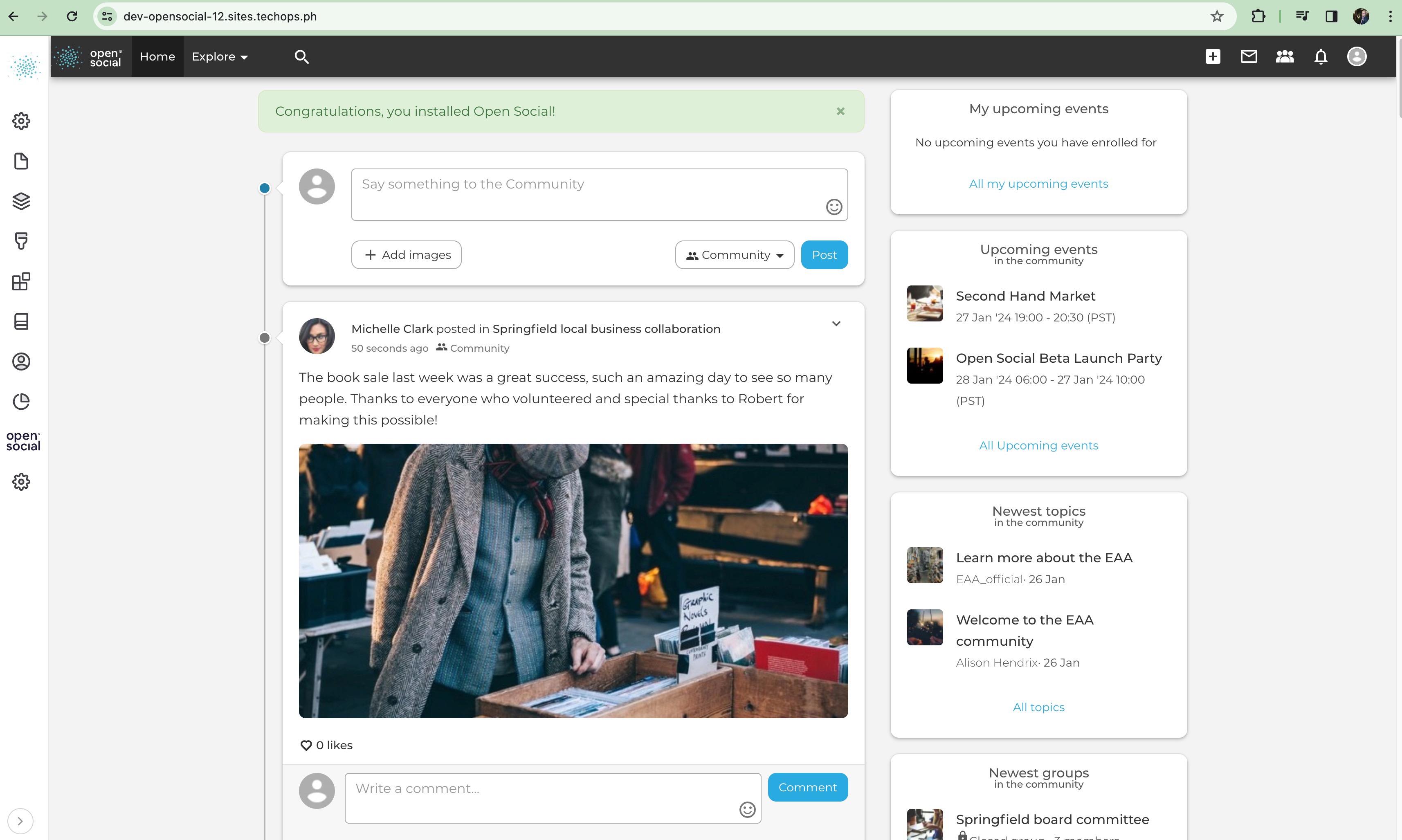
Open Social, Installed in Pantheon
Also, see this amazing contribution by the Drupal Community at https://github.com/lquessenberry/OpenSocialOnPantheon to get Open Social installed on Pantheon.
You will need to adjust the composer.json file to include the changes required for 1.5, see instructions at https://www.drupal.org/docs/8/distributions/open-social/updating-open-so....
2.0 Open Social compatibility and support for PHP and Drupal Core
| Open Social | PHP 8.0 | PHP 8.1 | Drupal 9.4 | Drupal 9.5 | Drupal 10 |
| 11.6.x | ✅ | ❌ | ✅ | ❌ | ❌ |
| 11.7.x | ✅ | ❌ | ✅ | ❌ | ❌ |
| 11.8.x | ✅ | ❌ | ✅ | ❌ | ❌ |
| 11.9.x | ✅ | ❌ | ❌ | ✅ | ❌ |
| 12.0.x | ✅ | ✅ | ❌ | ✅ | ✅ |
Help improve this page
You can:
- Log in, click Edit, and edit this page
- Log in, click Discuss, update the Page status value, and suggest an improvement
- Log in and create a Documentation issue with your suggestion
